
28,750
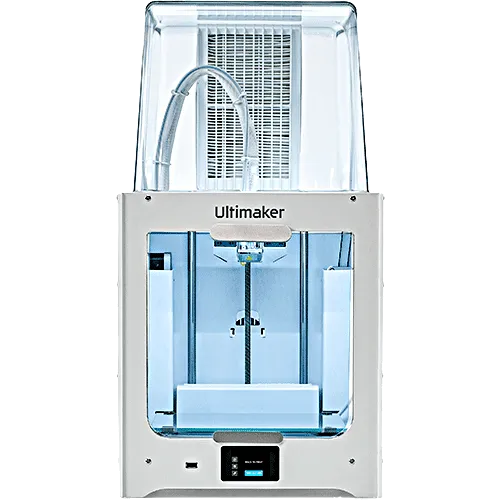
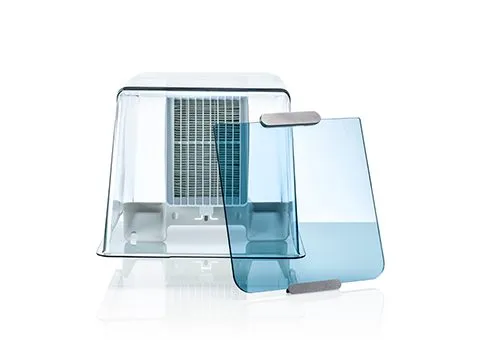
Ultimaker 2+ Connect Air Manager and Front enclosure
Currently unavailable
Payment methods
- mada
- VISA
- tabby
- tamara
- Bank transfer
About this item
Air Manager gives you more confidence and setup flexibility. Designed to increase user safety, it removes up to 95% of ultrafine particles and shields users from hot and moving components.
Ultimaker 2+ Connect Air Manager and Front enclosure
Products related to this item
32,200
1,035
1,495
From
2,760
From
1,840
3,737.50
Product details
How to install the Ultimaker 2+ Connect Air Manager and Front enclosure
- Align the filter housing with the back of the Ultimaker 2+ Connect

- Guide the Bowden tube and print the head cable into the slot

- Push down on the filter housing until it clicks firmly into place

- Gently push the filter completely into the filter housing, with the tab facing down

- Place the cover over the filter housing and align it with the top panel; ensure there are no gaps between the cover and the printer

- 6Connect the Air Manager cable to the port at the back of the Air Manager and secure with the clip

- Guide the Air Manager cable around the left side of the spool holder

- Plug the cable into the OUT port at the back of the Ultimaker 2+ Connect

- Take the front enclosure and place the hinge profile on the front panel

- Push the handle against the panel; the magnet will hold the front enclosure in place

- Ultimaker 2+ Connect Air Manager and Front enclosure Made in UK
Uses
Product delivery formula
The Air Manager is delivered in separate components, which can be installed in a few easy steps.
From our community



Customer reviews
Customer Reviews
—
No reviews
No reviews yet. Be the first to review this product after purchasing it.